Convert image to webp
Install Webp Tools
- download google webp tools
- https://developers.google.com/speed/webp/download
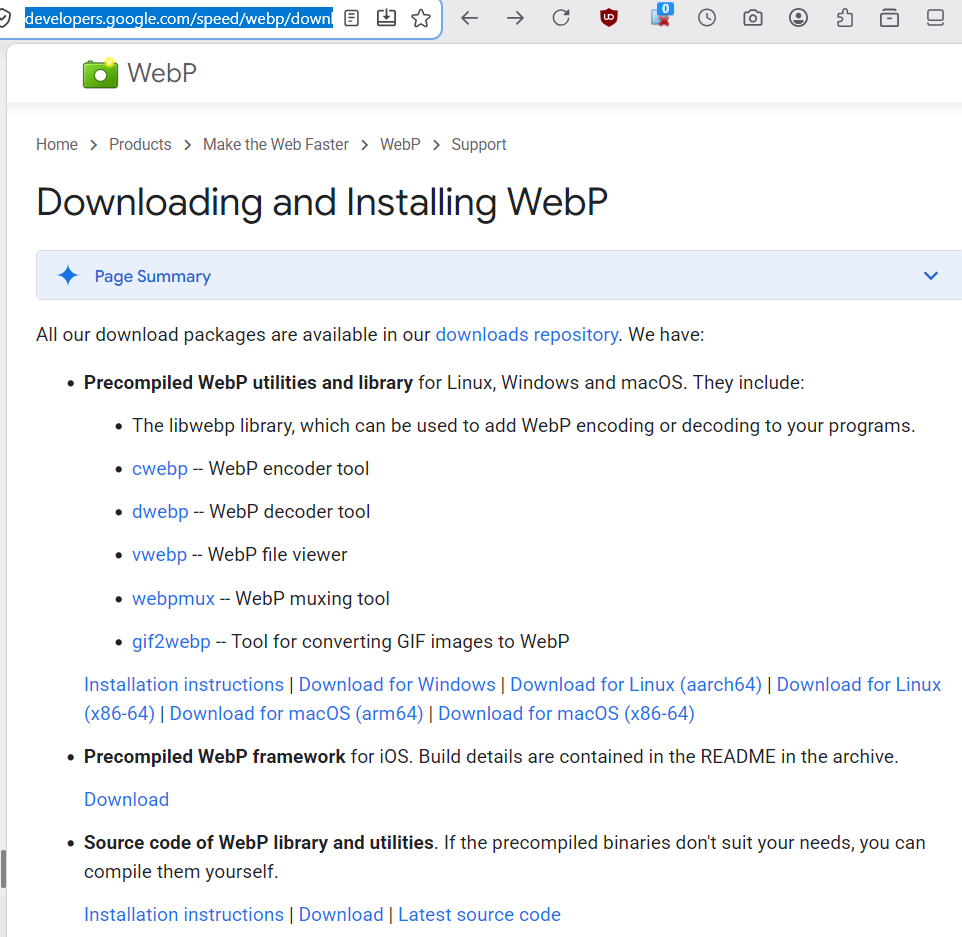
webp commands
cwebp-
WebP encoder tool
dwebp-
WebP decoder tool
vwebp-
WebP file viewer
webpmux-
WebP muxing tool
gif2webp-
Tool for converting GIF images to WebP
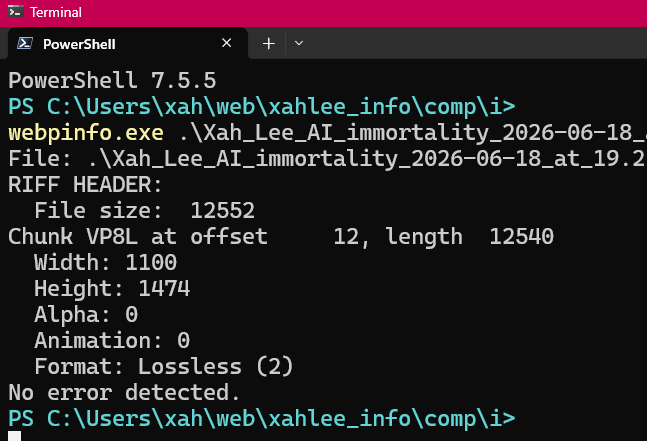
webpinfo-
show info about the file, such as lossy or lossless.
tip. png and jpeg, when to convert to lossy or lossless webp
webp supports both lossy and lossless compression.
- for png files, you should convert it to lossless.
- for jpeg files, you should convert it to lossy.
convert jpg to lossy webp, or png to lossy webp
cwebp -q 75 xx.jpg -o xx.webp
-q is quality. default is 75.
# convert all jpg files in current dir to webp, using -q 85
dir . -Recurse -File -Filter *jpg | ForEach-Object { cwebp -o 85 $_.FullName -o "$($_.BaseName).webp" }
convert png to lossless webp
one file
cwebp -lossless input.png -o output.webp
# convert all png files in current dir to webp, using cwebp -lossless

dir . -Recurse -File -Filter *png | ForEach-Object { cwebp -lossless $_.FullName -o "$($_.BaseName).webp" }
png2_lossless_webp() {
    shopt -s nullglob nocaseglob
    for xx in *.png; do
        cwebp -lossless "$xx" -o "${xx%.*}_ll.webp" && rm "$xx"
    done
    shopt -u nullglob nocaseglob
}
determine if a WebP file is lossy or lossless
webpinfo myfile.webp
in the output, it has a format line. For example, it says
Format: lossless (2)
also, a tip:
Chunk VP8Lis losslessChunk VP8is lossy
Convert From WebP to png
# convert from webp to png
dwebp myinput.webp -o output.png