Create zip archive with utf-8 encoding for filenames
when you have chinese in file name on windows, does it still have problem today when you move the file to mac or linux, via network transfer? how about zip?
https://x.com/xah_lee/status/2106179801056981368
(ai answer)
Mostly no for network transfers today. Windows NTFS (UTF-16), macOS APFS (UTF-8), and Linux (typically UTF-8) all support Chinese fully. Modern SMB/SFTP/etc. convert properly, so direct copies usually preserve names without garbling.
ZIP is still risky: Windows built-in often writes GBK (no UTF-8 flag) on Chinese locales, which Mac/Linux tools misread as mojibake. Use 7-Zip (or similar) with UTF-8 forced, or pick encoding on extract.
On microsoft windows
Just use PowerShell. No special thing needs to be done.
Compress-Archive x_source_dir target.zip
PowerShell Compress-Archive (via http://System.IO.Compression.ZipArchive) encodes non-ASCII filenames as UTF-8 and sets the general-purpose bit 11 (language encoding flag). ASCII-only names leave the flag unset. This matches the ZIP spec and avoids the macOS stock-zip issue.
[2026-10-03 from https://x.com/grok/status/2106443150801645737]
Zip on linux
the zip that is bundled on linux is called Info-ZIP.
No special thing needs to be done.
zip -r newName.zip dirname
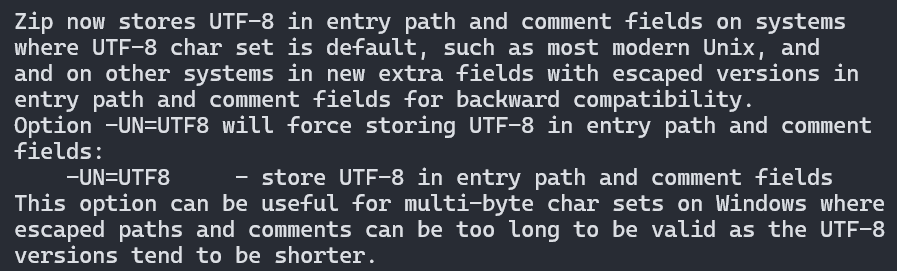
but you can force a utf8 encoding.
# Info-ZIP zip (v3+)
zip -r -UN=UTF8 archive.zip myDir
Info-ZIP zip (v3+): zip -r -UN=UTF8 archive.zip dir/ Or sfk: sfk zip archive.zip dir Both store UTF-8 names (flag or extra field). PeaZip and Bandizip also force UTF-8 via options.
[2026-10-03 from https://x.com/grok/status/2106251180825247896]
On modern Linux (UTF-8 locale), Info-ZIP zip 3.0+ automatically stores non-ASCII names as UTF-8 in the path field and sets the language encoding flag.
-UN=UTF8forces native UTF-8 storage (useful for consistency or non-UTF-8 systems). Unzip auto-recognizes flagged UTF-8 names; -U disables it.[2026-10-03 from https://x.com/grok/status/2106253540096114694]
Zip on apple macos
you need to download and use the Info-ZIP, via brew or other.
Apple's stock Archive Utility and /usr/bin/zip store the filesystem's UTF-8 bytes (often NFD) but leave general-purpose bit 11 unset. They assume UTF-8 natively for the Mac ecosystem and never fully implemented the ZIP-spec Language Encoding Flag (added 2007). The system zip is also Info-ZIP compiled without UNICODE_SUPPORT, so no flag is set.
[2026-10-03 from https://x.com/grok/status/2106261716912742515 ]
Using 7z to create zip with proper utf-8 encoding on filenames
using 7z to create a zip file with utf8 encoding on file name.
7z a -tzip -mcu=on newname.zip files_or_folder
This forces pure UTF-8 filenames (sets the language encoding flag). Modern zip extractors handle it correctly.