MathCurvesSurfacesWallpaper GroupsGallerySoftwarePOV-Ray
ProgramingLinuxPerl PythonHTMLCSSJavaScriptPHPJavaLang DesignEmacsUnicode ♥

Logitech Gaming Mouses Review

, ,

This page is a analysis of Logitech's gaming mouse design, written primarily for programers.

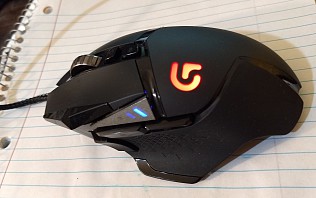
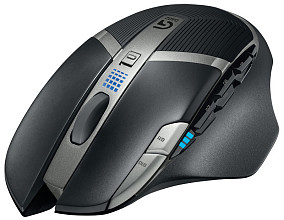
Logitech Wireless Gaming Mouse G700

logitech g700 mouse 1-s logitech g700 mouse 2-s logitech g700 mouse 3-s
“Logitech Wireless Gaming Mouse G700” amazon 1460×950 1458×1110 740×1238

Features:

This one is comparable to Microsoft SideWinder X8 mouse. I consider the G700 better, because: • 6 more programable buttons. • On-board memory. • Scroll wheel can be set to notched or free-spin.

Why you need so many buttons? See: Why You Need a 9 Buttons Mouse?.

For the spin wheel feature, see: Logitech Mouse with Spin Wheel.

Note that laser mouse may be inferior to optical mouse for gaming purposes. See: Laser Mouse is Inferior for Gaming?.

Logitech Wireless Gaming Mouse G700x

Logitech G700s mouse
Logitech G700s mouse. amazon

this is the same as as G700, except it is rechargable. Just plug in the wired USB, and it'll charge.

Logitech G9X Laser Mouse

Logitech G9X mouse 2-s
“Logitech G9X Laser Mouse” amazon

Features:

The toggle for the notch vs free-spin wheel is at the bottom of the mouse.

G9X is upgraded version of G9. The only difference between G9 and G9X is they have DPI of 3200 vs 5000. See: What's Mouse DPI? Does Mouse DPI Matter in Gaming?.

Logitech G9X Call of Duty

G9X has a special edition, called “Call of Duty MW3 edition” amazon . It's about $20 cheaper, but otherwise it's the same.

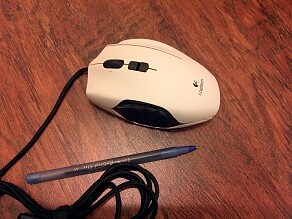
Logitech G500 Gaming Mouse

logitech g500 mouse 1-s logitech g500 mouse 2-s
“Logitech G500 Gaming Mouse” amazon 1302×1346 756×1224 1378×948

Features:

Logitech G300 Gaming Mouse

Why You Need a 8 Buttons Mouse?

What's Mouse DPI? Does Mouse DPI Matter in Gaming?

What Features Are Important?

The features list above are only ones i personally consider important. Here's some features that i don't care about.

Here's some qualities of mouse i consider important, for gaming or for programing:

• Wired vs wireless. Wireless is convenient, but with wired mouse you don't have to worry about battery or charging. Wireless mouse sometimes have tracking problems, especially when you have lots other wireless devices

• Number of programable buttons. This is very important, for gaming or normal use. For example, in normal use, more buttons lets you switch tabs, switch windows, close tab/window, quickly. You don't have to constantly switch between keyboard and mouse.

• Shape and size of mouse. This is very important but often forgotten. If you are right-handed, it's better to have buttons that are positioned for the right thumb. If you are really left-handed, you might shop for a dedicated left-handed mouse with dedicated shape. ⁖ Razer DeadAdder Mouse Left Hand Edition.

I always use 2 mouses. For the left hand, i currently use a symmetric-shaped one the Microsoft SideWinder X3. But if it is the only mous i use, i definitely would buy a dedicated left-handed mouse instead of a symmetric shaped one. The symmetric G300 looks very nice. The lights on the mouse with different colors is a cool add-on!

There's also “Logitech Optical Gaming Mouse G400” amazon that i didn't cover. It's rather ugly.

blog comments powered by Disqus