Create Math APL Keyboard Layout
Keyboard Layout for Input Math Symbols
This page shows you how to create a keyboard layout for inputting Math Symbols ∑ ∫ π² ∞ , Emoji 😄, or APL Symbols, for {Windows, Mac OS X, Linux}.
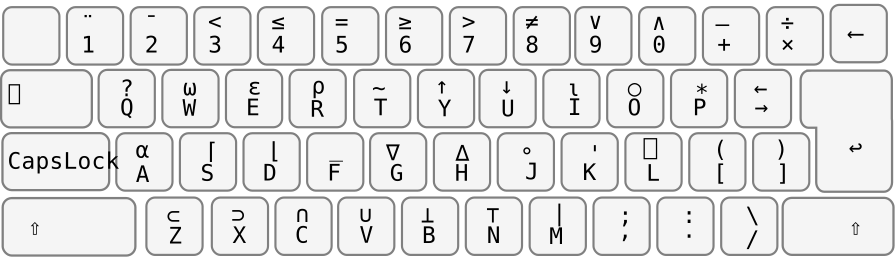
For example, you can create APL (programming language) keyboard layout, or for LaTeX, XeTeX, or simply as a system to type math symbols in plain text.
APL Keyboard Layout
Unicode Characters
You'll need to copy paste Unicode characters when configuring your keyboard. Here's references.
Unicode Font
You'll need font to display math symbols.
Create Your Own Math Layout
- Mac: Create Custom Keyboard Layout
- 〔Microsoft Keyboard Layout Creator By Microsoft. Search the web. The links changes often. 〕
Using Emacs
If you are using emacs, you don't need to setup a keyboard layout. There are many ways to setup emacs to insert any unicode characters.