Emacs: Find replace regexp output to diff
replace-regexp-as-diff
replace-regexp-as-diff
new in Emacs 30 (date 2025)
- does find and replace, but output in diff format, in
diff-mode - you can apply the change using
diff-modecommands.
multi-file-replace-regexp-as-diff- shows as diffs replacements in a list of specified files
dired-do-replace-regexp-as-diff- shows as diffs replacements in the marked files in Dired.
replace-regexp-as-diff tutorial (AI generated)
write a tutorial on using emacs replace-regexp-as-diff
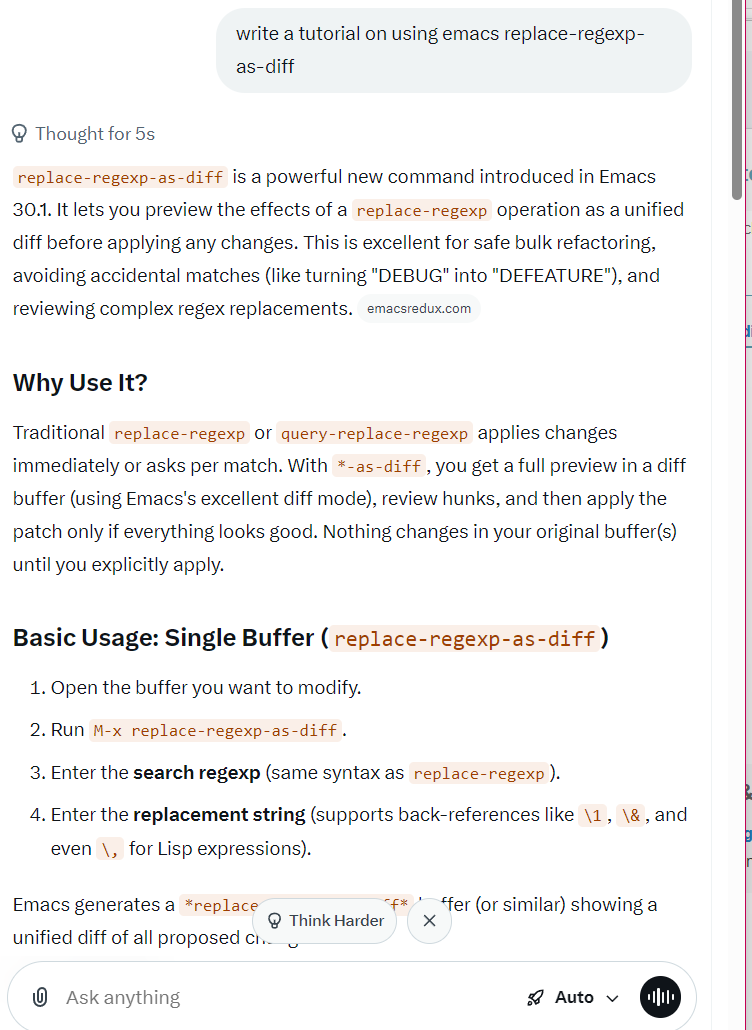
replace-regexp-as-diff is a powerful new command introduced in Emacs 30.1.
It lets you preview the effects of a replace-regexp operation as a unified diff before applying any changes.
This is excellent for safe bulk refactoring, avoiding accidental matches (like turning "DEBUG" into "DEFEATURE"), and reviewing complex regex replacements.
Why Use It?
Traditional replace-regexp or query-replace-regexp applies changes immediately or asks per match. With *-as-diff, you get a full preview in a diff buffer (using Emacs's excellent diff mode), review hunks, and then apply the patch only if everything looks good. Nothing changes in your original buffer(s) until you explicitly apply.
Basic Usage: Single Buffer (replace-regexp-as-diff)
- Open the buffer you want to modify.
- Run
M-x replace-regexp-as-diff. - Enter the search regexp (same syntax as
replace-regexp). - Enter the replacement string (supports back-references like
\1,\&, and even\,for Lisp expressions).
Emacs generates a *replace-regexp-as-diff* buffer (or similar) showing a unified diff of all proposed changes.
In the diff buffer:
- Use standard diff navigation: n/p for next/previous hunk, SPC/DEL to scroll.
- Review carefully—false positives are easy to spot.
- To apply: Use C-c C-c (or the command diff-apply / vc-diff-apply style binding) or follow the buffer's instructions to apply the patch to the original buffer.
If you close the diff buffer without applying, no changes occur.
Multi-File Variants
multi-file-replace-regexp-as-diff
Prompts for a list of files (you can select them one by one and finish with RET). It shows one combined diff across all files.
dired-do-replace-regexp-as-diff (most convenient for projects)
1. Open Dired (C-x d or M-x dired).
2. Mark the files you want (m for individual, U to unmark, % m to mark by regexp, * . for extension, etc.).
3. Run M-x dired-do-replace-regexp-as-diff.
4. Enter regexp and replacement.
5. Review the combined diff and apply.
This works great with Projectile, VC directory, or any file set.
Practical Examples
Example 1: Simple rename
Regexp: \b old_function_name \b
Replacement: new_function_name
Example 2: Capture groups
Regexp: (\w+)_(\d+)
Replacement: \2_\1 (swaps parts)
Example 3: Lisp computation in replacement (advanced)
Regexp: price: \([0-9.]+\)
Replacement: price: \,(format "%.2f" (* 1.1 (string-to-number \1))) (adds 10% tax, formats to 2 decimals)
Example 4: Catch false positives
Replacing "BUG" with "FEATURE" on code containing "DEBUG" — the diff clearly shows "DEFEATURE", so you can refine the regexp (e.g., add word boundaries \bBUG\b).
Key Tips and Tricks
- Regex syntax: Same as Emacs regex (see
C-h r i regexps). Use\( \)for groups,\bfor word boundaries, etc. - Replacement syntax:
\&for whole match,\1,\2... for groups,\, (lisp-form)for dynamic computation. - Delimit words: Add
\bor\< \>to avoid partial matches. - Large projects: Use Dired or
multi-file-...for safety. - Undo: If you apply and regret it, just use normal undo (
C-/) in the original buffer(s). - Customization: The diff buffer uses standard
diff-mode; you can bind keys or customize faces as usual. - Non-file buffers: It works best on file-visiting buffers. Scratch or temporary buffers may have limitations.
- Integration: Combine with
project-query-replace-regexpfor interactive per-match, but use*-as-diffwhen you want a full preview first.
Comparison with Similar Commands
| Command | Preview | Interactive per-match | Multi-file | Best for |
replace-regexp | No | No | No | Quick, trusted changes |
query-replace-regexp | No | Yes | Via Dired | Careful per-instance |
project-query-replace-regexp | No | Yes | Project | Project-wide careful |
replace-regexp-as-diff | Yes (diff) | No | Yes | Safe bulk review |
Getting Started Quickly
Try this in a test buffer:
M-x replace-regexp-as-diff- Regexp:
foo - Replacement:
bar - Review the diff and apply.
Once comfortable, use it on real code.
This feature makes risky regex operations much less stressful. It's a fantastic addition for power users doing refactoring, cleanup, or data transformations.
Enjoy safer editing in Emacs 30+! If you're on an older version, packages like visual-replace or manual diff workflows are alternatives.